





coursehub.codingclub.in

CourseHubSeach Courses
Welcome,
Atharva Tagalpallewar!
B.Tech. Chemical Engineering
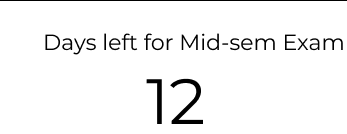
12Days for
Mid-sem Exam
Mid-sem Exam
64Days for
End-sem Exam
End-sem Exam
My courses
CL 303Process Control and Instrumentation
CL 302Mass Transfer II
CL 304Chemical Reaction Engineering
CL 305Green Chemistry
HS 201Economic Theory
MA 202Scientific Computing
CL 311Solid Fluid Operations Lab
HS 205Technical Report Writing and Presentation
+Add Course
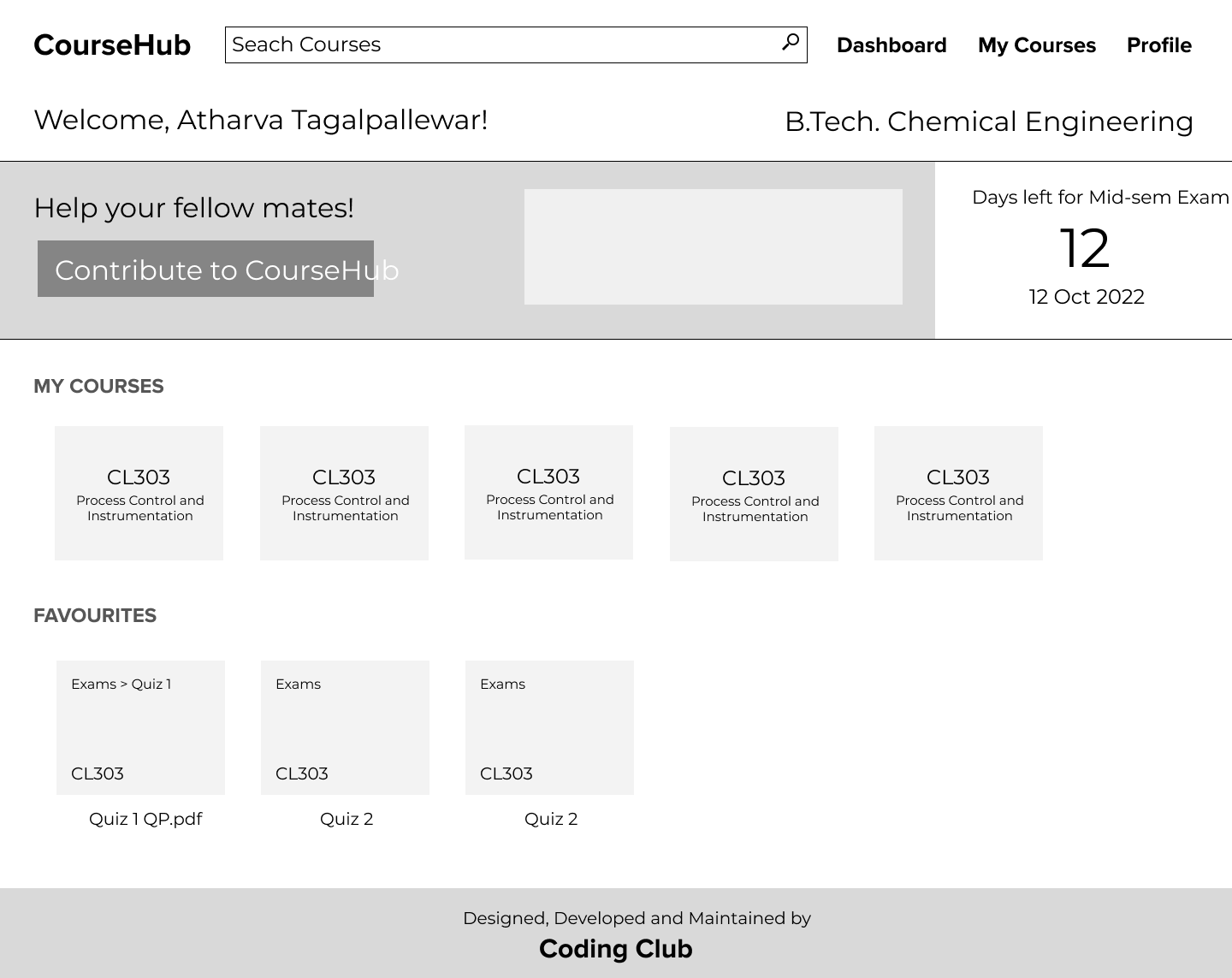
Help your fellow mates!
By sharing your notes, past papers and other resources, you’ll not only be helping others succeed, but you’ll also get recognition for your hard work. We’ll feature your name alongside the files you contribute.
 Contribute to CourseHub
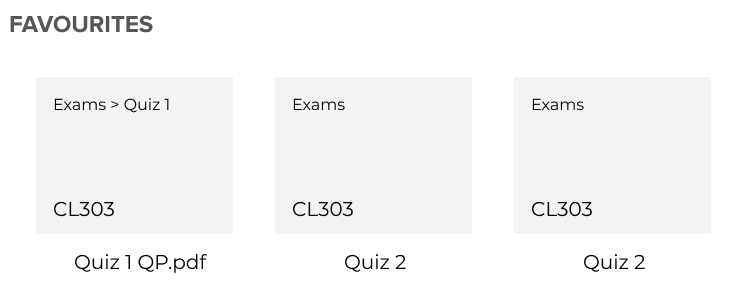
My favourites
ExamsQuiz 1Green Chemistry
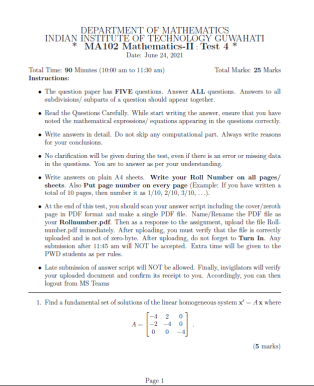
Exams › Quiz 1Quiz 1 QP.pdfChemical Reaction Engineering
Lecture SlidesPremidsemGreen Chemistry
ExamsQuiz 1Green Chemistry
Exams › Quiz 1Quiz 1 QP.pdfChemical Reaction Engineering
ExamsQuiz 1Green Chemistry
Exams › Quiz 1Quiz 1 QP.pdfChemical Reaction Engineering
Exams › Mid-semMid-sem paper.pdfMass Transfer II
CourseHubSearch any course
Year
Books
Course Books
Share the link
coursehub.codingclub.in/browse/CL303/exams/mid-sem

Contribute to CourseHub
CourseCL 303 · Process Control and Instrumentation
SectionExams › Mid-sem
Year2024
Description
Mid-sem paper with my worked solutions, scanned.
Upload a folderUpload files
- Mid-sem paper.pdfUploaded
- Worked solutions.pdf62%
CourseHub
My profile
Atharva Tagalpallewar
B.Tech, Chemical Engineering

2ndSemester
My contributions
- 12 March · 12:58 pmCL303 › 2024 › Lecture Slides
Slides for weeks five to eight, with the extra examples from the tutorial session.
Pending - 2 March · 9:14 amCL302 › 2024 › Exams › Quiz 1
Quiz 1 paper and the answer key the professor shared after the quiz.
Approved - 20 February · 6:40 pmCL304 › 2024 › Tutorials
Tutorial 3, which turned out to be a duplicate of a file that was already there.
Declined
CourseHubHub Master
Atharva Tagalpallewar
Branch Representative,
Chemical Engineering

Verified38contributions
Pending contributions
CL303 › 2024 › Lecture Slidesby a classmate12 March · 12:58 pm
Slides for weeks five to eight, with the extra examples from the tutorial session.
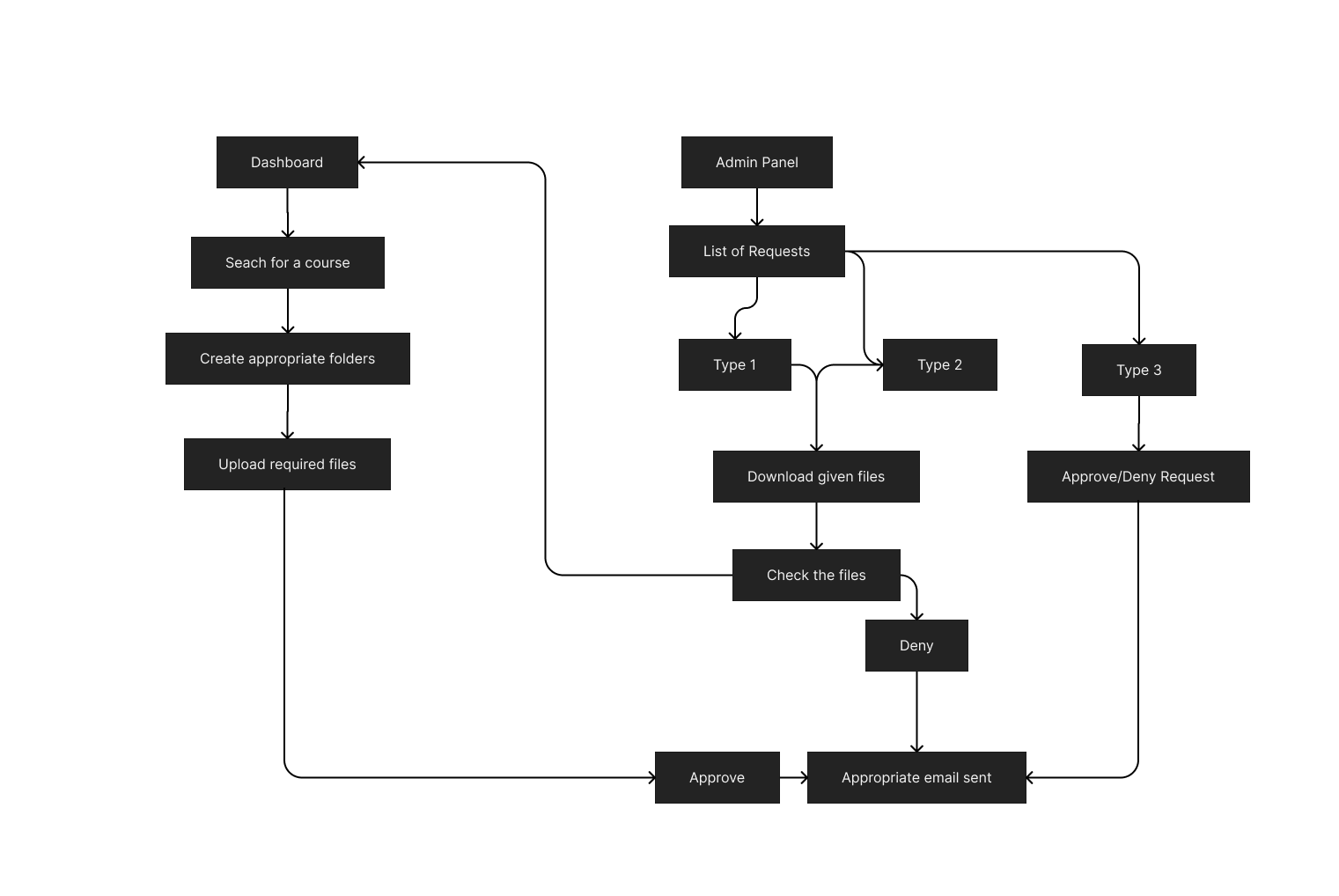
Download FilesUpload Verified FilesDecline Contribution
CL302 › 2024 › Exams11 March · 4:20 pm
Last year’s mid-sem paper with a few of the questions solved.
ExpandCL305 › 2024 › Tutorials10 March · 8:05 pm
Tutorial sheets one to four with solutions.
Expand-
01
Sign in
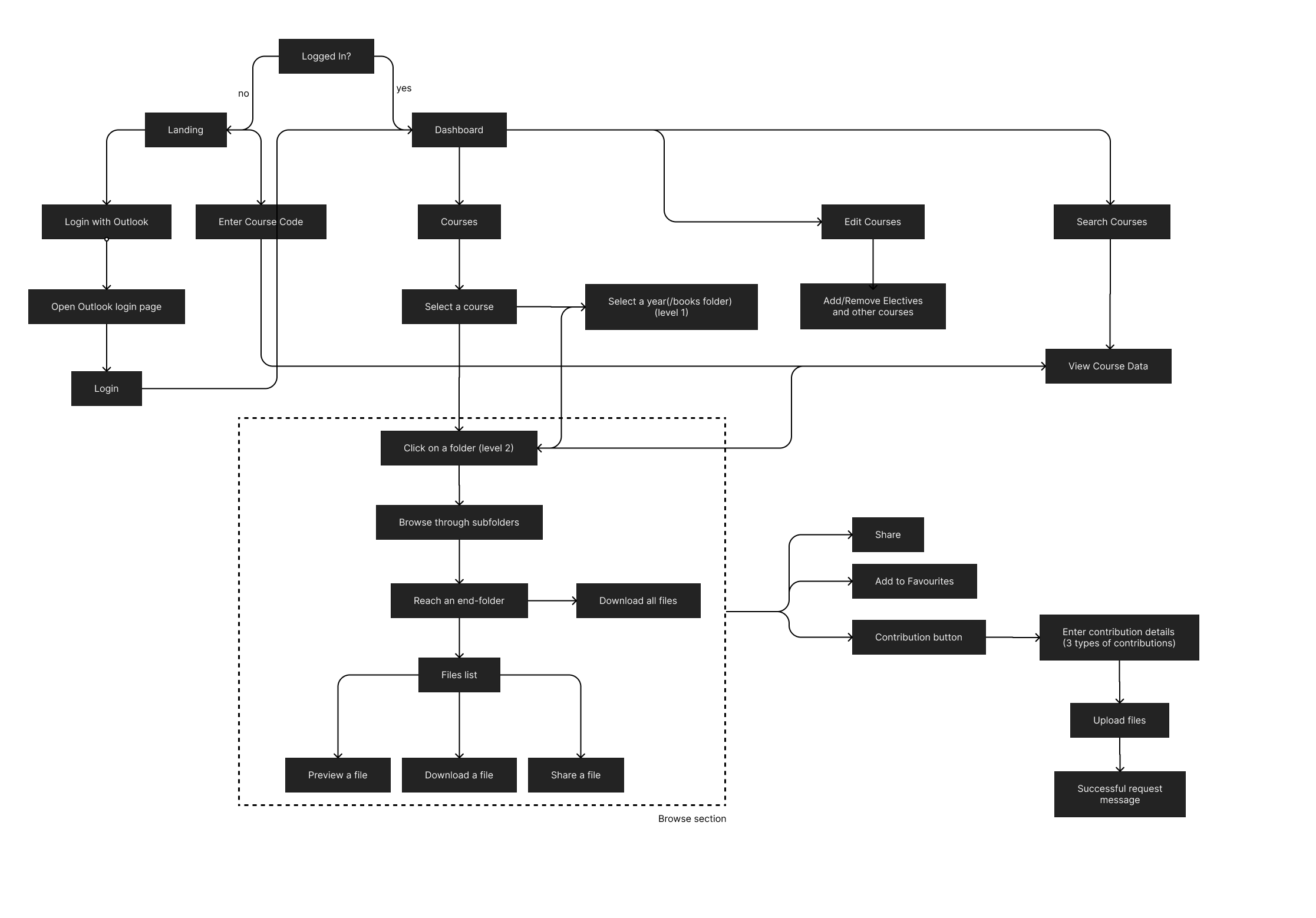
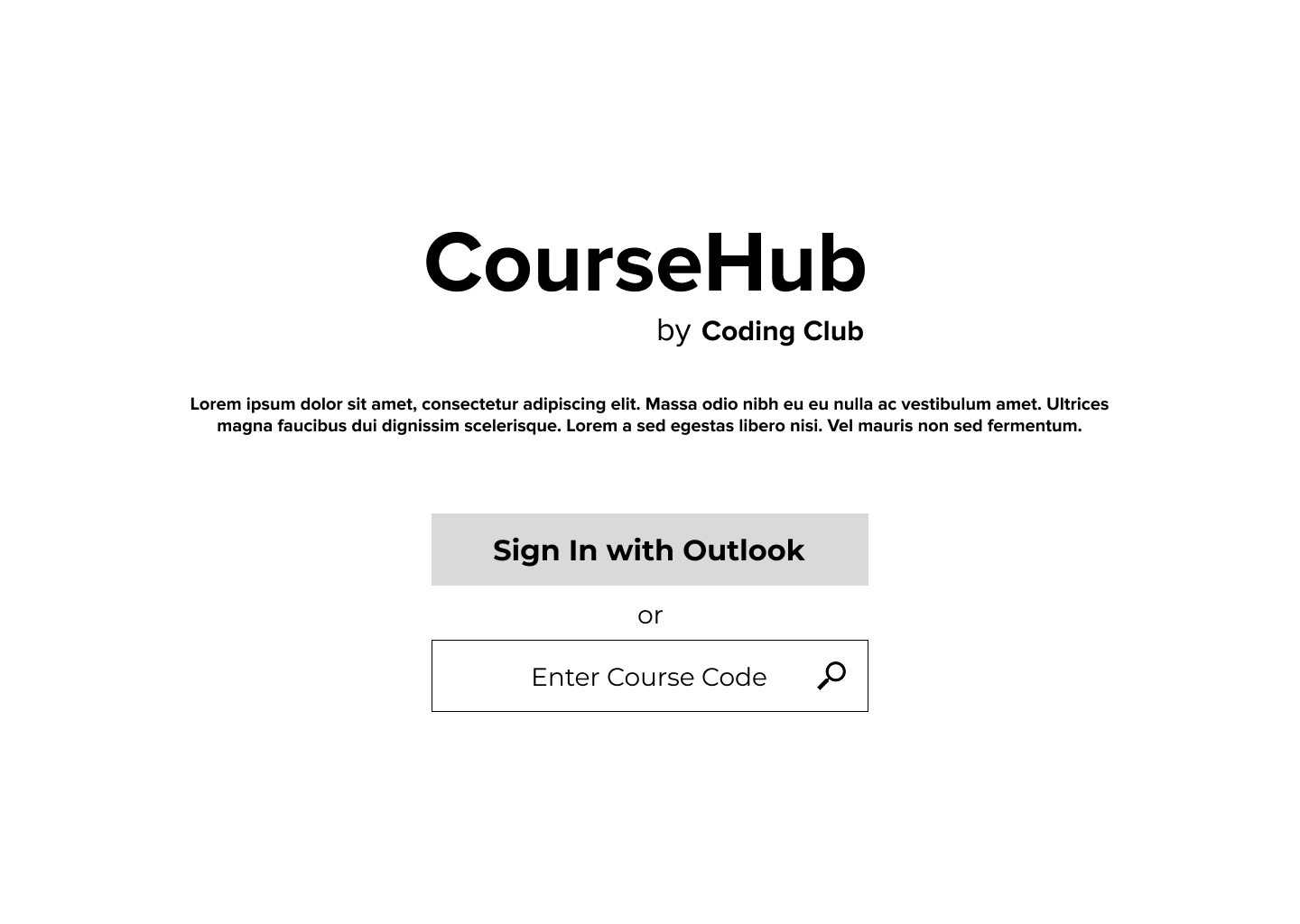
Signing in takes one button. Students use the Microsoft account the institute already gives them, so there is no sign-up form and no new password to forget. If you only want a quick look, you can type a course code into the bar at the bottom and browse that course without an account.
-
02
Dashboard
Your courses are already on the dashboard the first time you land on it. CourseHub reads your roll number from your Microsoft profile and looks up this semester’s courses on the academic portal, so the only thing you ever add by hand is an elective from another department. Below them sit the contribute banner and everything you have saved to favourites.
-
03
Browse
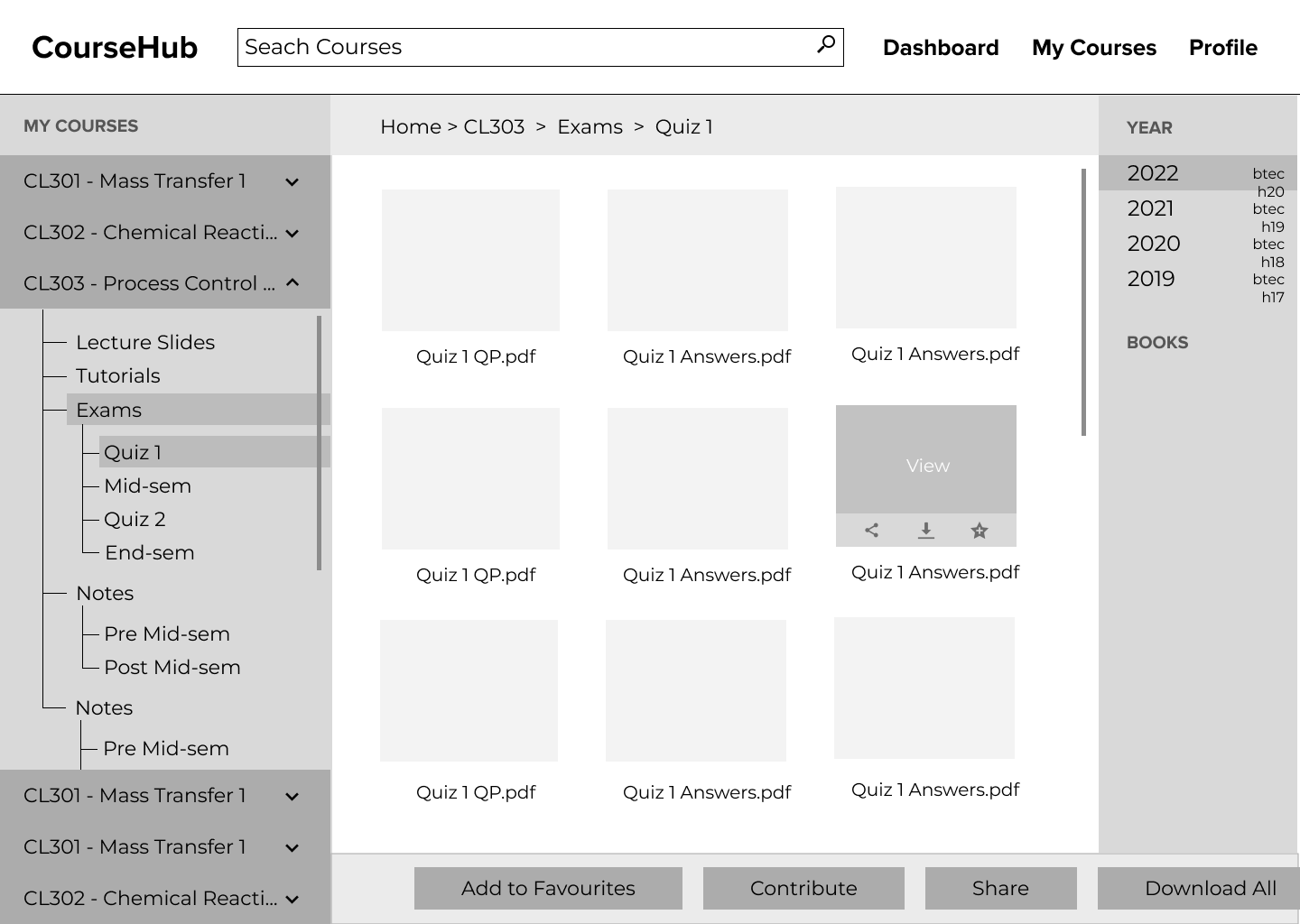
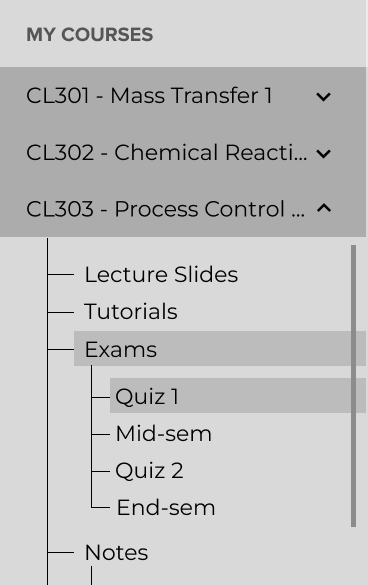
Every course has the same shape: a folder for each year, then lecture slides, tutorials, exams, notes and assignments, with exams always split into Quiz 1, Mid-sem, Quiz 2 and End-sem. You move around with the tree on the left, switch years on the right, and hover over a file to view, download, share or star it. The screen works, so feel free to click around.
-
04
Share
Any file or folder can be shared as a short link that opens straight to it, which makes it easy to drop the right paper into a class group the night before a quiz.
-
05
Contribute
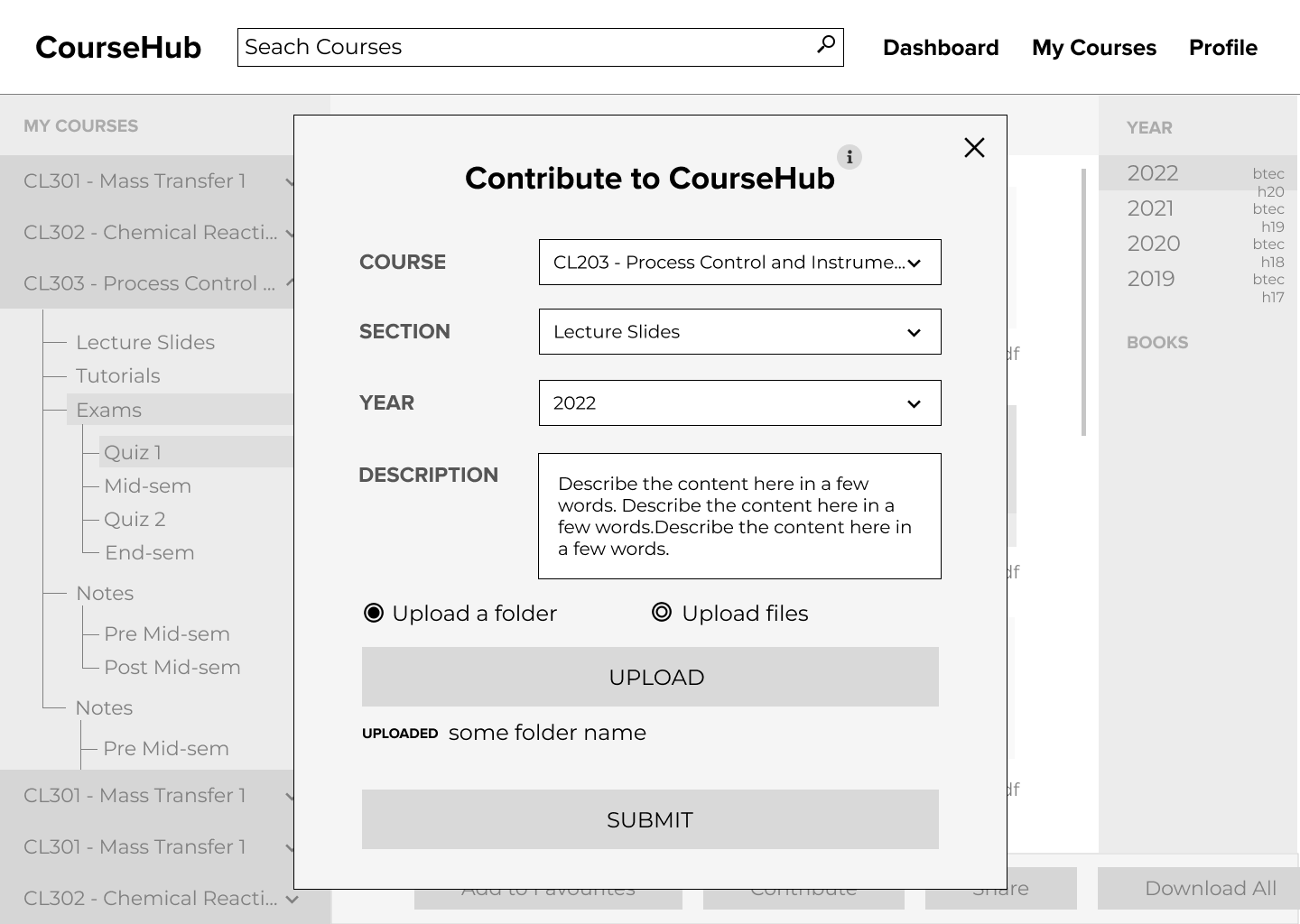
Anyone can add to the library from the folder they are looking at. The course and section are filled in for you, so you only write a line about what you are uploading and drop in a folder or a few files. Nothing goes live straight away, which means a wrong file never reaches the whole class.
-
06
Profile
Your profile keeps a record of everything you have contributed and whether it is pending, approved or declined. Contributors also get their name shown next to the files they shared, which is the promise the contribute banner makes on the dashboard.
-
07
Hub Master
Hub Master is the reviewing side of CourseHub, designed for branch representatives. It lists every pending contribution for their branch and lets them download the files to check them, then upload the verified ones into the right folder or decline the request. Either way, the contributor hears back.